

创建博客
本指南将带你使用 EmDash 创建一个完整博客,从定义内容类型到展示带有分类和标签的文章。
- 已完成初始化并正常运行的 EmDash 站点(参见 入门指南)
- 对 Astro 组件有基本了解
定义文章集合
Section titled “定义文章集合”EmDash 在设置过程中会创建一个默认的 “posts” 集合。如果您需要自定义,请使用管理仪表板或 API。
默认的文章集合包含:
title- 文章标题slug- 适合放进 URL 的标识符content- 富文本正文excerpt- 简短描述featured_image- 头图(可选)status- 草稿、已发布或已计划publishedAt- 发布日期(系统字段)
创建您的第一篇文章
Section titled “创建您的第一篇文章”-
在
/_emdash/admin打开管理仪表板 -
点击侧边栏中的 Posts
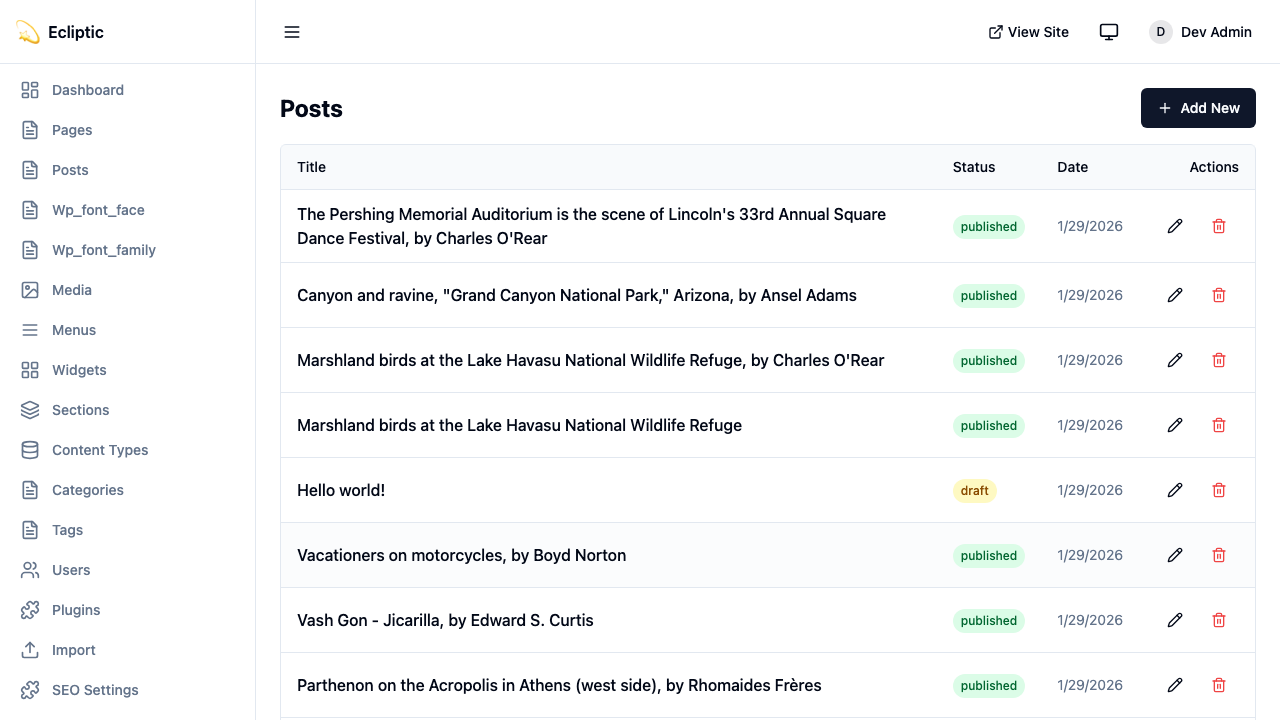
-
点击 New Post
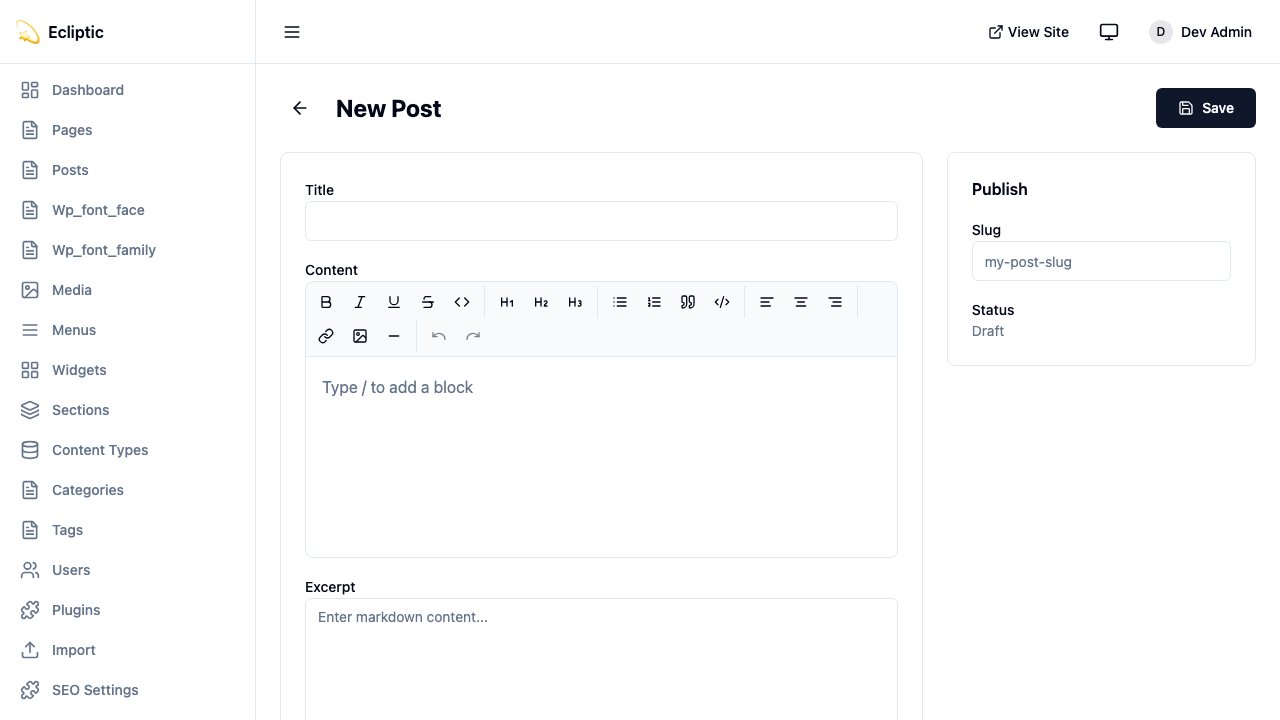
-
输入标题并使用富文本编辑器撰写内容
-
在侧边栏面板中添加分类和标签
-
将状态设置为 Published
-
点击 Save
文章现在已经上线了,无需重新构建。
在您的网站上展示文章
Section titled “在您的网站上展示文章”列出所有文章
Section titled “列出所有文章”创建一个页面来展示所有已发布的文章:
---import { getEmDashCollection } from "emdash";import Base from "../../layouts/Base.astro";
const { entries: posts } = await getEmDashCollection("posts", {  status: "published",});
// Sort by publication date, newest firstconst sortedPosts = posts.sort(  (a, b) => (b.data.publishedAt?.getTime() ?? 0) - (a.data.publishedAt?.getTime() ?? 0));---
<Base title="Blog">  <h1>Blog</h1>  <ul>    {sortedPosts.map((post) => (      <li>        <a href={`/blog/${post.data.slug}`}>          <h2>{post.data.title}</h2>          <p>{post.data.excerpt}</p>          <time datetime={post.data.publishedAt?.toISOString()}>            {post.data.publishedAt?.toLocaleDateString()}          </time>        </a>      </li>    ))}  </ul></Base>
展示单篇文章
Section titled “展示单篇文章”为单篇文章创建动态路由:
---import { getEmDashCollection, getEmDashEntry } from "emdash";import { PortableText } from "emdash/ui";import Base from "../../layouts/Base.astro";
export async function getStaticPaths() {  const { entries: posts } = await getEmDashCollection("posts", {    status: "published",  });
  return posts.map((post) => ({    params: { slug: post.data.slug },  }));}
const { slug } = Astro.params;const { entry: post } = await getEmDashEntry("posts", slug);
if (!post) {  return Astro.redirect("/404");}---
<Base title={post.data.title}> <article> {post.data.featured_image && ( <img src={post.data.featured_image} alt="" /> )} <h1>{post.data.title}</h1> <time datetime={post.data.publishedAt?.toISOString()}> {post.data.publishedAt?.toLocaleDateString()} </time> <PortableText value={post.data.content} /> </article></Base>添加分类和标签
Section titled “添加分类和标签”EmDash 包含内置的分类和标签分类法。有关创建和管理术语的详细信息,请参阅 分类法。
按分类筛选文章
Section titled “按分类筛选文章”---import { getEmDashCollection, getTerm, getTaxonomyTerms } from "emdash";import Base from "../../layouts/Base.astro";
export async function getStaticPaths() { const categories = await getTaxonomyTerms("category");
// Flatten hierarchical categories const flatten = (terms) => terms.flatMap((t) => [t, ...flatten(t.children)]);
return flatten(categories).map((cat) => ({ params: { slug: cat.slug }, props: { category: cat }, }));}
const { category } = Astro.props;
const { entries: posts } = await getEmDashCollection("posts", { status: "published", where: { category: category.slug },});---
<Base title={category.label}> <h1>{category.label}</h1> {category.description && <p>{category.description}</p>}
<ul> {posts.map((post) => ( <li> <a href={`/blog/${post.data.slug}`}>{post.data.title}</a> </li> ))} </ul></Base>展示文章分类
Section titled “展示文章分类”在单篇文章页面上展示分类:
---import { getEntryTerms } from "emdash";
interface Props {  postId: string;}
const { postId } = Astro.props;const categories = await getEntryTerms("posts", postId, "category");const tags = await getEntryTerms("posts", postId, "tag");---
<div class="post-meta">  {categories.length > 0 && (    <div class="categories">      <span>Categories:</span>      {categories.map((cat) => (        <a href={`/category/${cat.slug}`}>{cat.label}</a>      ))}    </div>  )}
{tags.length > 0 && ( <div class="tags"> <span>Tags:</span> {tags.map((tag) => ( <a href={`/tag/${tag.slug}`}>{tag.label}</a> ))} </div> )}</div>对于文章较多的博客,可以添加分页:
---import { getEmDashCollection } from "emdash";import Base from "../../../layouts/Base.astro";
const POSTS_PER_PAGE = 10;
export async function getStaticPaths() {  const { entries: allPosts } = await getEmDashCollection("posts", {    status: "published",  });
  const totalPages = Math.ceil(allPosts.length / POSTS_PER_PAGE);
  return Array.from({ length: totalPages }, (_, i) => ({    params: { page: String(i + 1) },    props: { currentPage: i + 1, totalPages },  }));}
const { currentPage, totalPages } = Astro.props;
const { entries: allPosts } = await getEmDashCollection("posts", {  status: "published",});
const sortedPosts = allPosts.sort(  (a, b) => (b.data.publishedAt?.getTime() ?? 0) - (a.data.publishedAt?.getTime() ?? 0));
const start = (currentPage - 1) * POSTS_PER_PAGE;const posts = sortedPosts.slice(start, start + POSTS_PER_PAGE);---
<Base title={`Blog - Page ${currentPage}`}>  <h1>Blog</h1>
  <ul>    {posts.map((post) => (      <li>        <a href={`/blog/${post.data.slug}`}>{post.data.title}</a>      </li>    ))}  </ul>
  <nav>    {currentPage > 1 && (      <a href={`/blog/page/${currentPage - 1}`}>Previous</a>    )}    <span>Page {currentPage} of {totalPages}</span>    {currentPage < totalPages && (      <a href={`/blog/page/${currentPage + 1}`}>Next</a>    )}  </nav></Base>
添加 RSS 订阅源
Section titled “添加 RSS 订阅源”为您的博客创建 RSS 订阅源:
import rss from "@astrojs/rss";import { getEmDashCollection } from "emdash";
export async function GET(context) {  const { entries: posts } = await getEmDashCollection("posts", {    status: "published",  });
  return rss({    title: "My Blog",    description: "A blog built with EmDash",    site: context.site,    items: posts.map((post) => ({      title: post.data.title,      pubDate: post.data.publishedAt,      description: post.data.excerpt,      link: `/blog/${post.data.slug}`,    })),  });}
如果您尚未安装 RSS 包,请先安装:
npm install @astrojs/rss